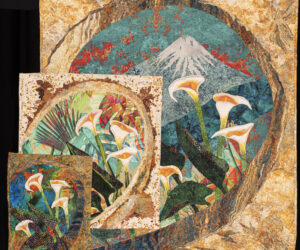
Detail, "Signs of Life Among the Ruins" by Angela Kenley
Here’s the information you will need to know about photos on our website if you need your existing gallery page updated, or need a gallery page created for you.
Our new gallery pages have the ability to display artwork at full screen size. Here’s how to access this feature:
1. Click on “Galleries” from the tabs across the home page. Then…
2. From the drop-down menu, select an individual gallery page to look at, then…
3. Select the “View With PicLens” application to display artwork, (this begins a slide show) then…
4. Look for the white icon in the lower right of the PicLens screen. It looks like a rectangular shape with diagonal arrows, click on that, and your images should display at full screen size.
5. Exit this mode by pressing “Escape” on your keyboard.
This will be the preferred method for determining if existing photos in our gallery will need to be replaced, or updated. It is the best way to determine if photos are clear and not pixellated.
Some of our photos from our old website no longer display well, either at a small size, or at full screen display. Artists will need to consider replacing, perhaps, many of their photos, because the old photos have become too small to display well at a full screen level.
One problem with these older photos, in .jpg format, is that they have been “processed” to a very small file size. This can happen when an artist choses to change their own photos, or more likely, is when a large .jpg file is attached to many e-mail applications. Unfortunately, this automatic e-mail induced processing often ends up sending .jpg files of thumbnail size. (That is usually LESS THAN 1,000 pixels on a side! and usually only a few hundred pixels per side) For many applications this may be suitable, but for photos to display at full screen size this creates serious fuzzies. (That’s a technical term for not being in focus…)
What all this tiny .jpg file size means for our website is this:
1. If you have had your artwork photographed as part of an AQuA show, the gallery website person will have access to your photos in a .jpg file large enough that it will display well at a full screen level. Some processing MAY still need to be done at the website software level, but the artist may NOT need to be concerned with their files. (PHEW!)
2. If your are submitting photos of artwork that have NOT been part of an AQuA show, you need to make sure that your file size is at least 100 dots per inch, and an overall size of 4″ x 6″ OR LARGER (size about 10″ x 12″ at 100 dots per inch will fit most screens). Frank Nored currently creates .jpg files of 1200 pixels (dots) by 1800 pixels, in a 4″ x 6″ format. This is 300 dots per inch, (suitable for printing applications) and is usually more than adequate for full screen display on our website. More pixels to start with is better than fewer. It is probably best to let the gallery web person process your photo for this application on our site.
3. Sorry to say, but, this also means that photos will probably look better at full screen display if they have NOT been e-mailed. It may mean either snail mailing a CD, or a thumb or flash drive, or getting together with the website gallery contact. This may be an inconvenience, but will provide the best photos online of your artwork.
For more information on gallery pages, please see the posting concerning general AQuA galleries. http://theartquiltassociation.com/home/2010/02/17/aqua-gallery-general-information/#more-1310
I thank everyone in the group for their patience with re-working our website, and look forward to getting your artwork displayed as nicely and clearly as possible.
posted by Kathy Pfeufer, 2-17-10
–revisions in files size, underlined in italics in the lower parapgraphs for flash drive (item 3) and size suggestions (item 2), 2-22-10, KBP